
A sense of place
Architectural landmarks, changing light, landscapes, and free exploration make campus feel like a destination.
 quad
quadThe next generation of campus engagement
An explorable campus world for a generation raised on games. Give students a place to imagine their future—and your enrollment team the tools to guide discovery, capture interest, and keep the relationship moving.
An experience for students. A recruitment platform for your team.
The world. The platform. The possibility.
Made for a generation raised on Roblox. Step into a three-dimensional campus, walk its pathways, and follow a guided story—or explore freely. Then see the actual Quad Control tools your university uses to shape stories, media, student journeys, recruitment, and publishing.
Independent university demonstration. Recruitment records are illustrative; releases shown are browser practice.
Try the university controlsBuilt for the way they discover
For a generation familiar with Roblox and open-world games, campus can be something to discover: walk the pathways, find a landmark, hear a story, and choose what comes next.
 A campus to move through. A place to picture a future.
Architectural landmarks, changing light, landscapes, and free exploration make campus feel like a destination.
Guided stops, narration, bilingual stories, and photos, videos, and resources help students discover what makes your university distinctive.
Invite students to explore a program, request information, visit, or apply. Shape the invitation around the journey they came to take.
Quad Control · Your university’s workspace
Your team controls the campus story, who it reaches, where it lives, and how interest becomes a recruitment relationship. All from one workspace.
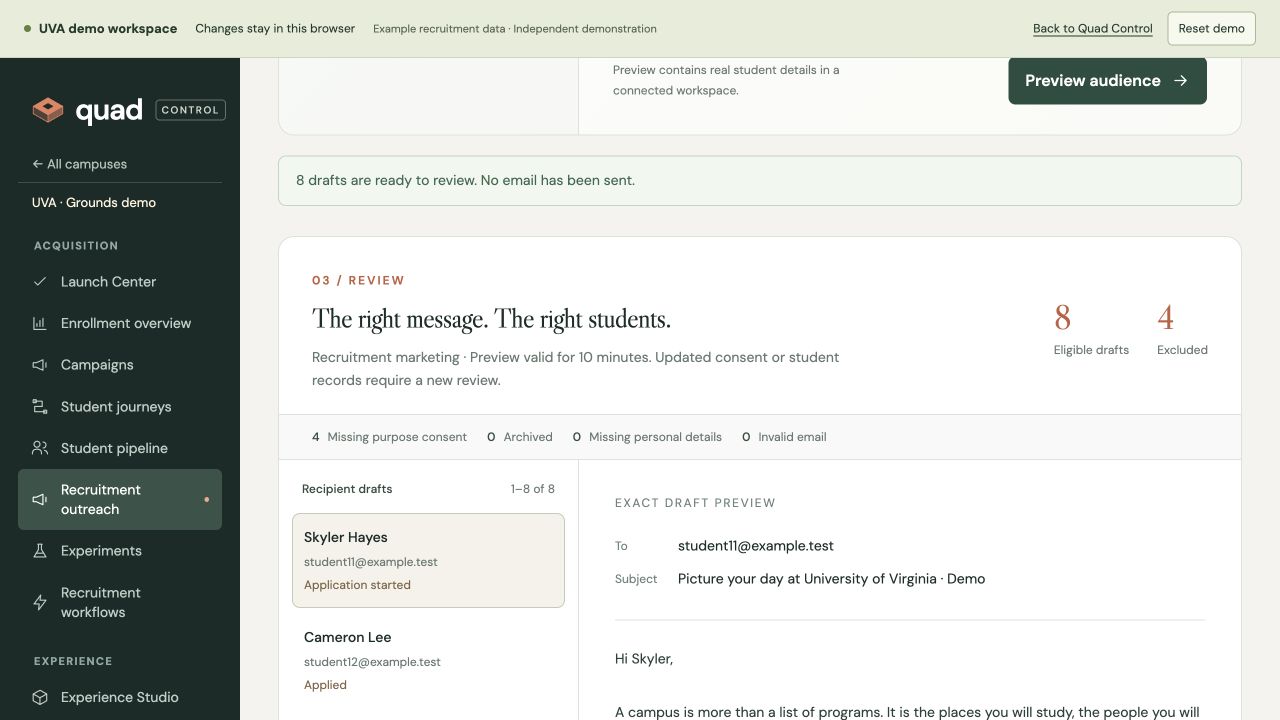
Edit the school’s story beside the real world. Control bilingual stops, camera views, media, appearance, visitor features, inquiry forms, announcements, and next steps.
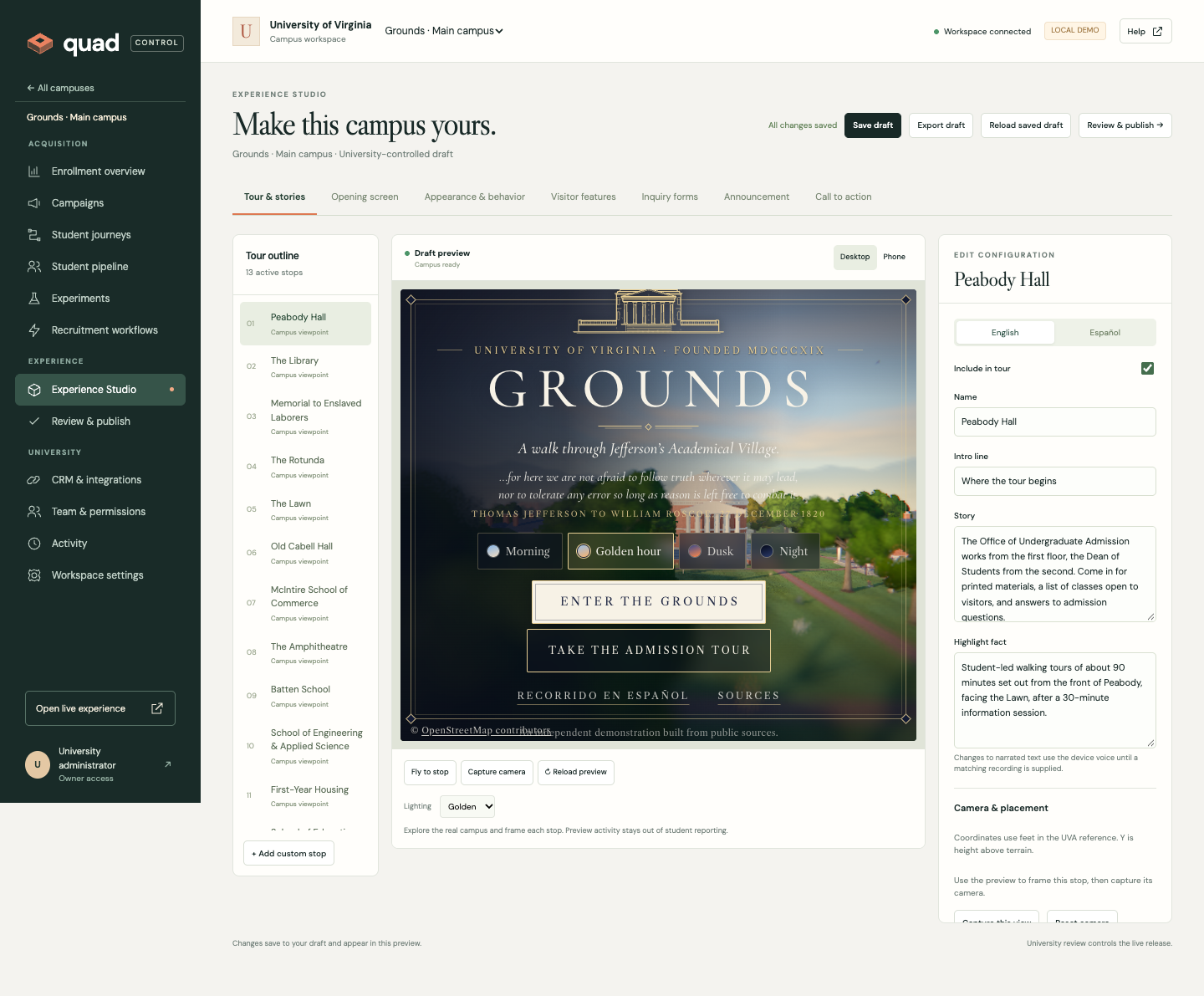
See your campus portfolio in one place. Open each campus workspace or start a new production workflow with research, authoring, inspection, and university review.
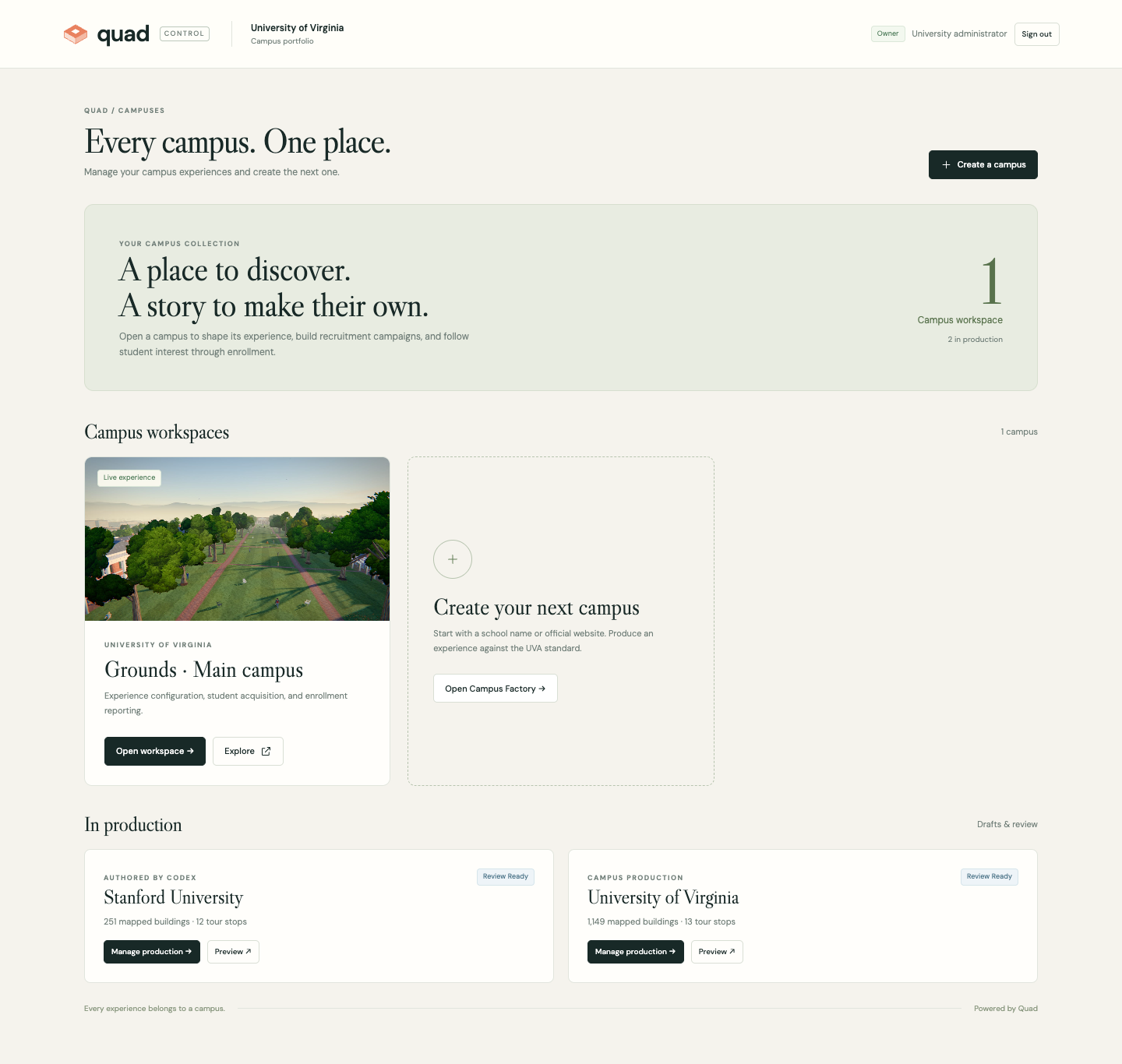
Bring your campus story, recruitment plan, permissions, and delivery settings together. Twelve current-workspace checks give your team clear next steps and a shareable launch report. Try the Launch Center →
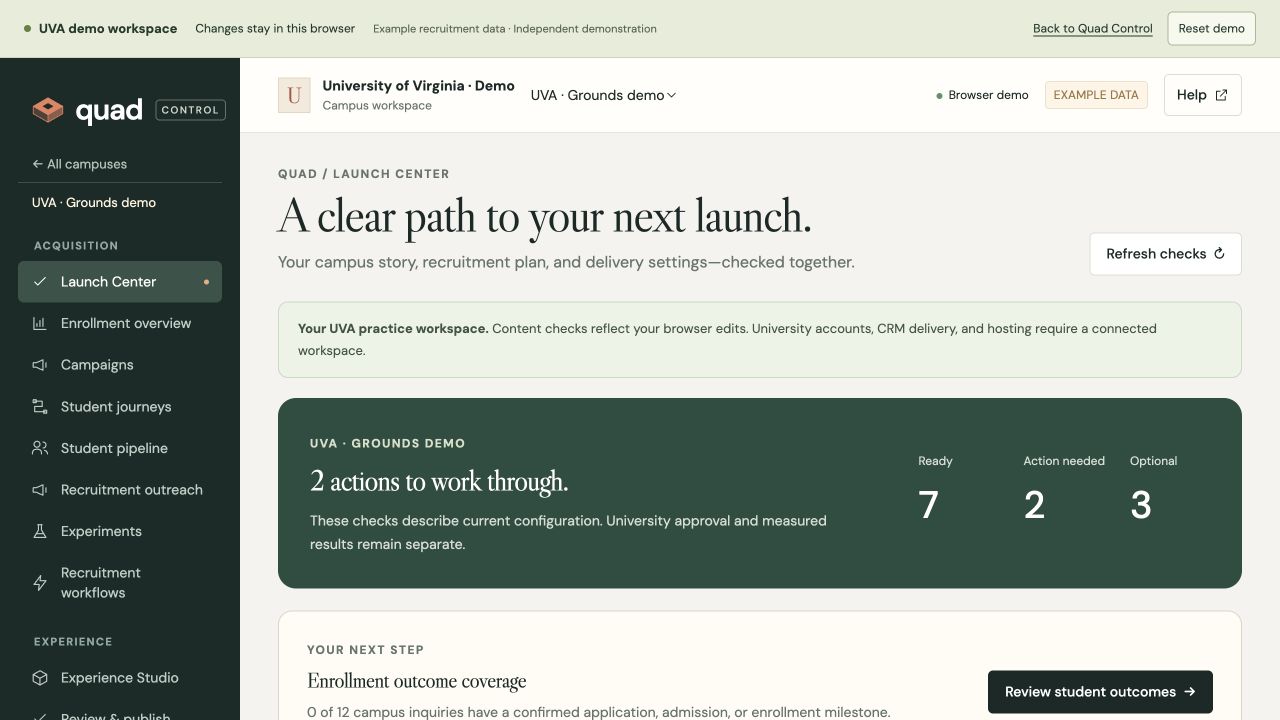
Build a shared library of campus messages. Filter by student stage, academic interest, and campaign; preview each personal draft; then export the reviewed audience with current consent rechecked. Try recruitment outreach →
Give the experience a destination. Create hosted links or website embeds, choose languages and approved domains, pin releases, pause access, and manage API credentials.
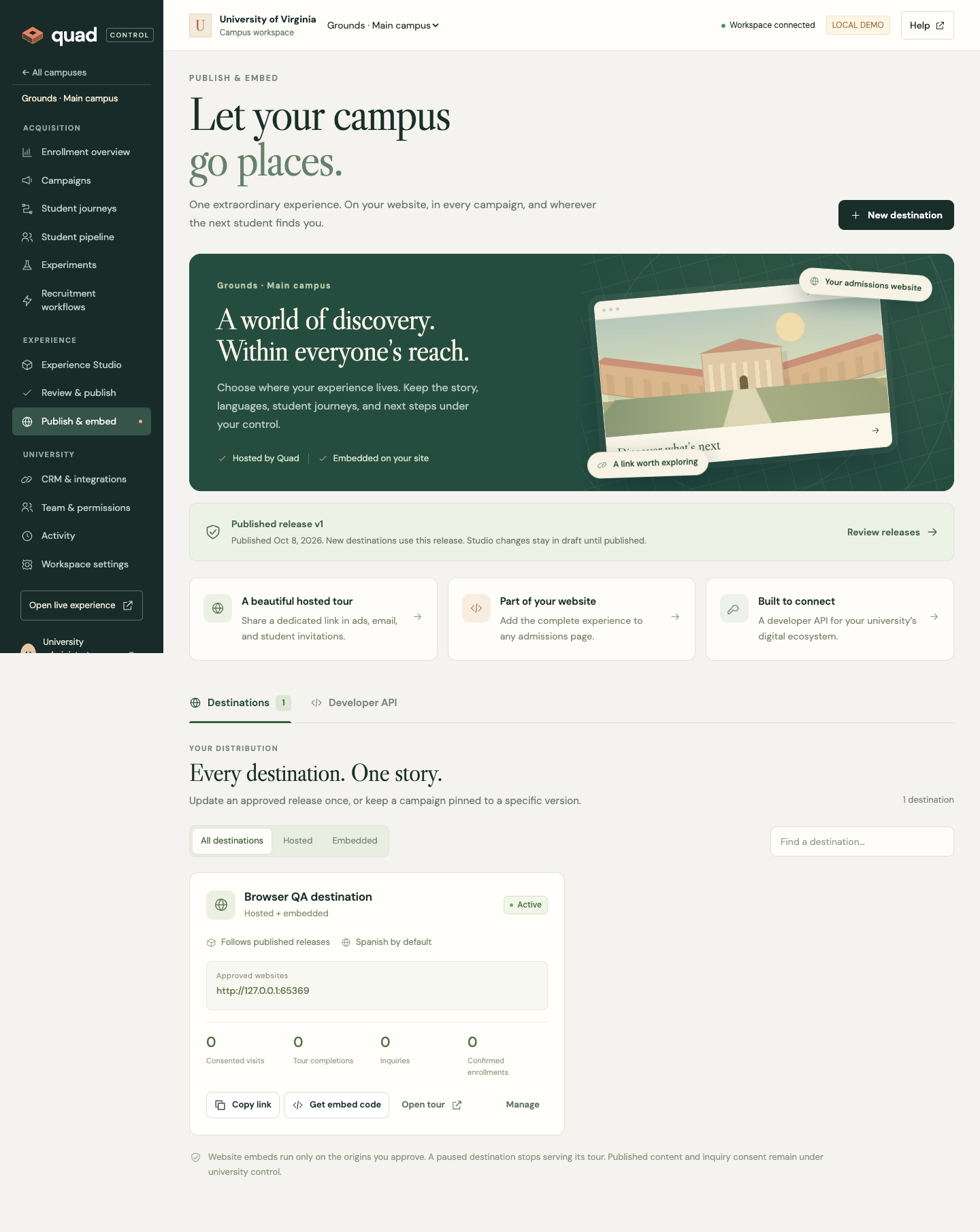
Keep the immersive experience fresh without surrendering your brand. Edit stories and stops, frame camera views, manage media, configure forms and visitor features, preview on desktop and phone, and release the exact version your team has reviewed.
Explore Quad ControlOne connected recruitment channel
Give the experience a purpose at every stage. Quad connects creative campus storytelling to the work of student acquisition and enrollment.
Manage English and Spanish stories, camera views, branding, lighting, announcements, and calls to action. Add reusable photos, videos, and links with captions and photo descriptions.
Seven areas of experience configurationChoose and order campus stops for different audiences. Pair the route with a tailored welcome and next step, from academic discovery to an admissions visit.
Audience journeys + campaign contextFollow campaign sources, requested inquiries, and staff-confirmed applications and enrollments. Compare acquisition costs using the spend your team enters.
First-touch reporting + full-cohort exportsCompare weighted headline and call-to-action variants against tour completion, inquiries, or confirmed applications. See the observations and sample context behind a result.
Two to four variants · Consent-aware measurementCapture requested information, manage the student pipeline, assign recruiters, record notes, and trigger follow-up tasks. Keep confirmed admissions milestones connected to the original inquiry.
Campus-scoped records + recruitment workflowsKeep drafts private. Review the exact content before release, restore a previous version, and choose what each teammate can manage through six permission-based roles.
Reviewed releases + history + activity recordsWherever your next student finds you
Share a hosted tour in a campaign, place the experience on your admissions website, or connect it to your digital ecosystem through the tour API.
See the campus galleryA thoughtful path to enrollment
An invitation brings a student into a world they can explore on their own terms.
Stories and audience journeys connect places to academic interests and student life.
A relevant invitation turns curiosity into an information request, visit, or application.
Your team follows inquiries and confirmed milestones, with measurement that respects visitor choice.
Analytics is optional for visitors. Applications and enrollments are confirmed by your team or imported; Quad does not infer an enrollment from a click.
A world to explore. A future to imagine.
